
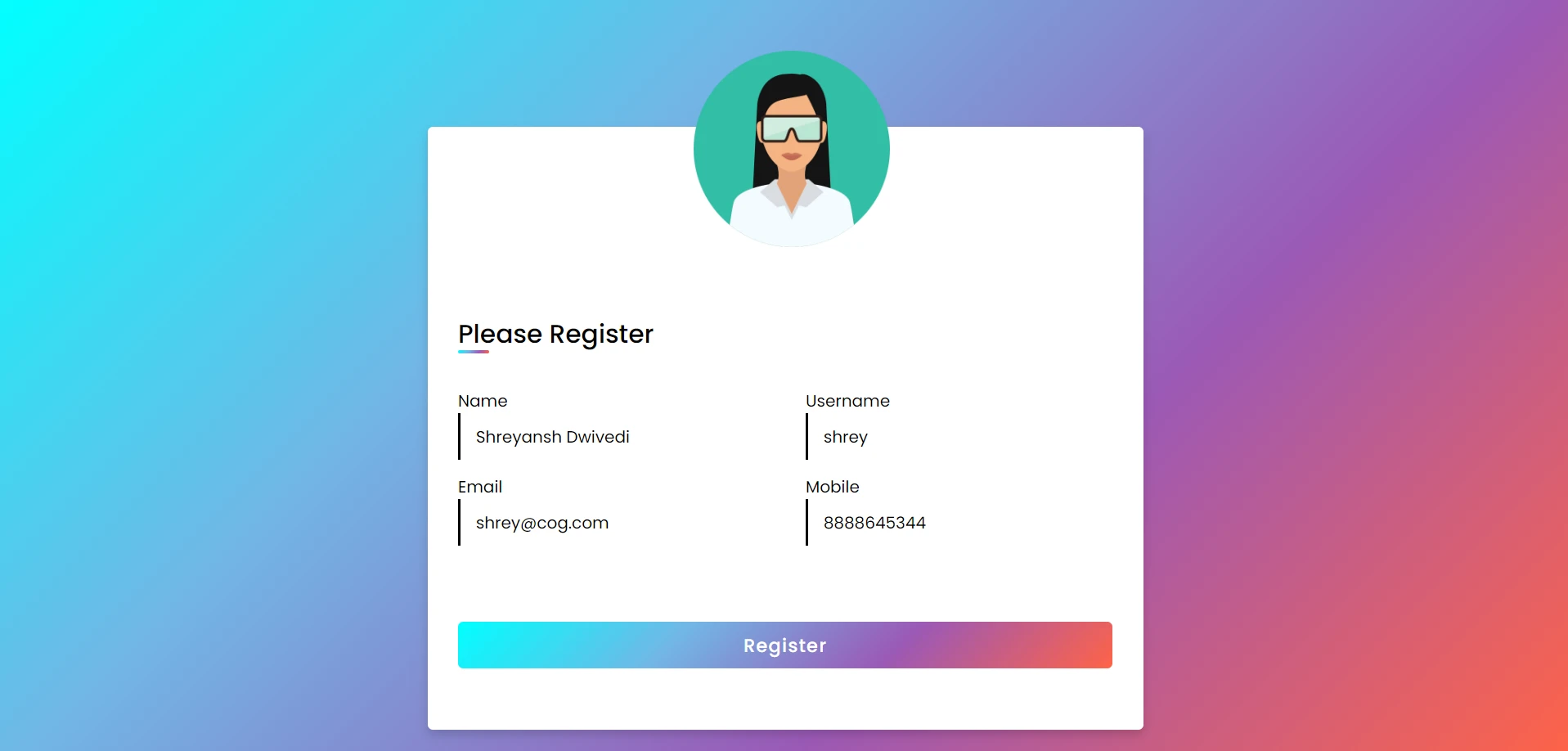
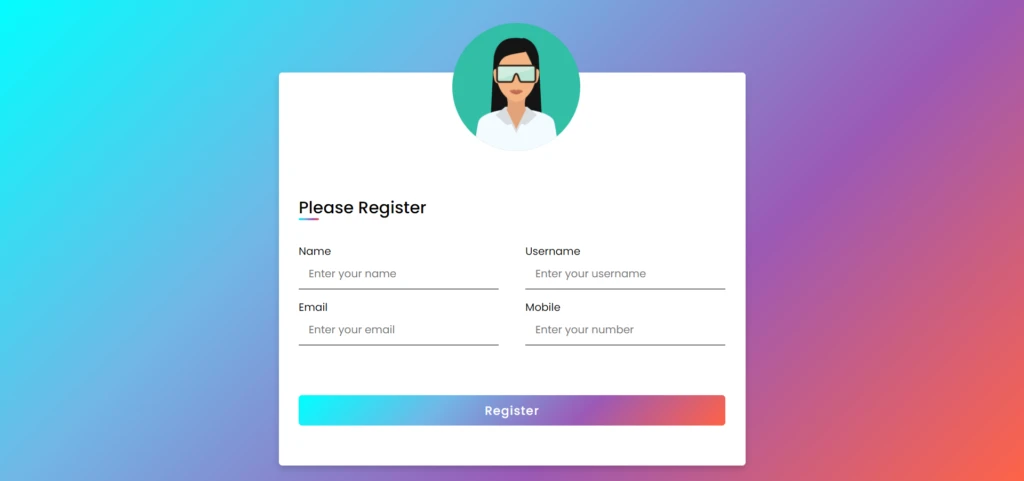
This article contain : How to post HTML form data in Node Express Server using Post Request
Video Illustration
Pre-requisites
- Basic understanding of HTML, CSS to design Registration form.
- Basic understanding of NodeJS, ExpressJS.
- Basic understanding of making GET, POST request to backend server.
Architecture
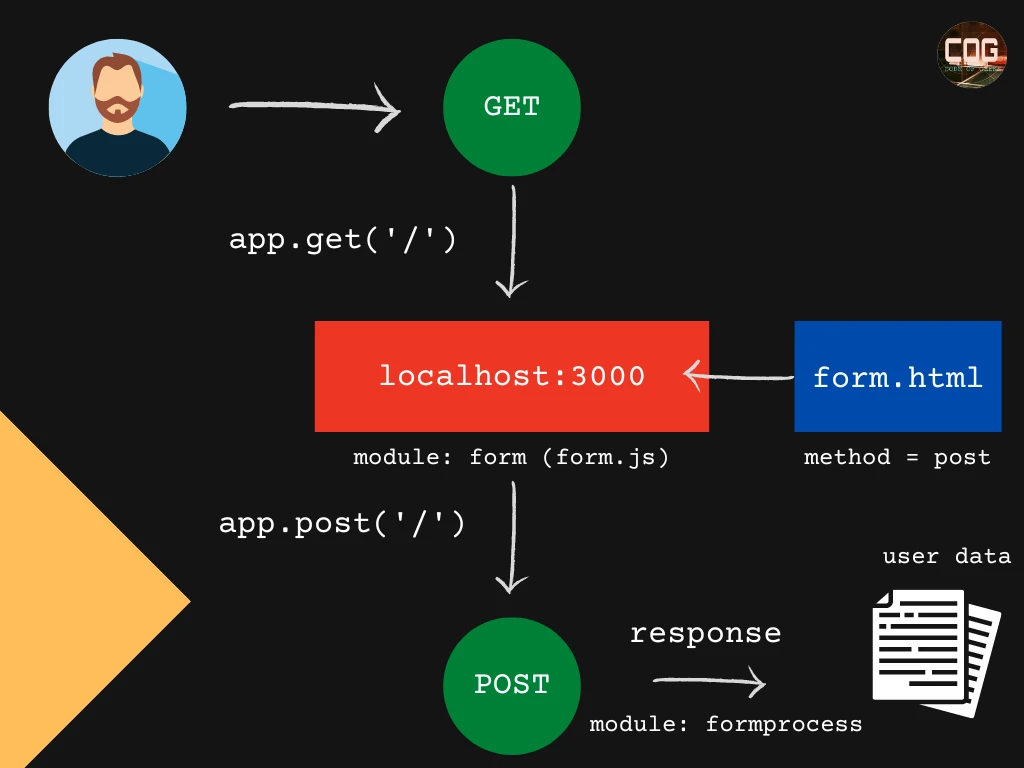
Once you start the project on your localhost:3000, following happens on the backend –
1. Browser makes GET request to our backend NodeJS Server for route ‘/’.
2. Once our server receives this request, it starts looking for suitable controller for this route.
3. Upon checking the ‘routes/routing.js‘ file, we can see the mapping of GET[‘/’] with ‘controllers/form.js’.
4. Module: form is responsible to handle all requests (GET) coming to ‘/‘ route. It loads the html file : form.html to ‘localhost:3000‘ which contains the registration form which has to be filled by user.
5. Once a user submits a form, a POST request (using form’s attribute called ‘method’) is sent to the same route with all form data.
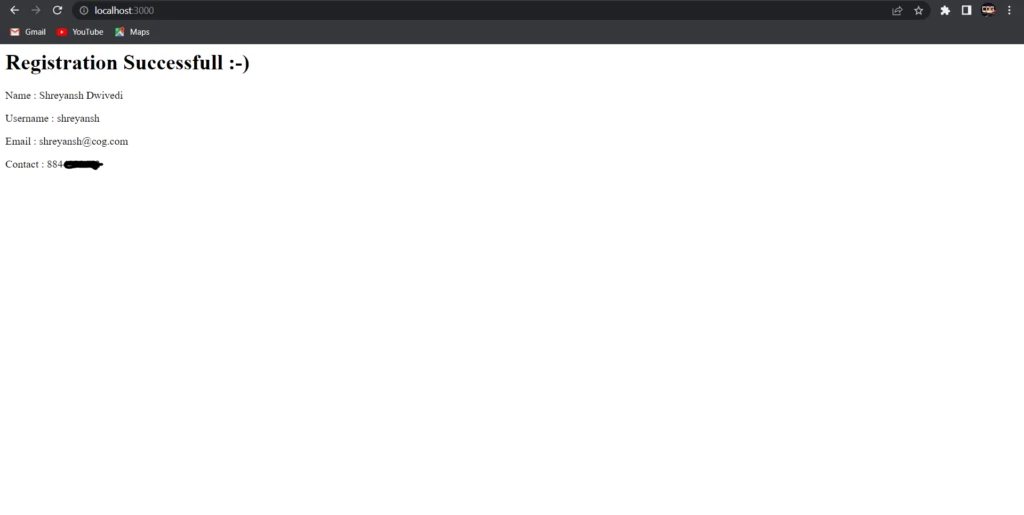
6. Module: formprocess is responsible to handle the request (POST) coming to ‘/‘ route. Our backend code is capable of exposing form data to ‘req.body‘ object. This is achieved with the help of ‘body-parser‘ module of npm. Later, we can send this data as our response to front-end.
7. That’s all.
Folder Structure
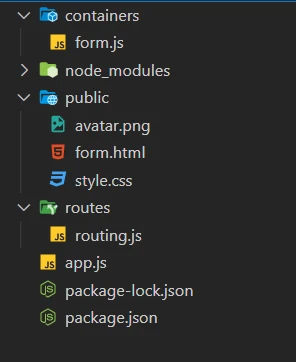
package-lock.json : This file is created for locking the dependency with the installed version. It will install the exact latest version of that package in your application and save it in package.json.
Without package.lock.json, there might be some differences in installed versions in different environments. To overcome this problem, package.lock.json is created to have the same results in every environment.
package.json : The package.json file is the backbone of the Node.js ecosystem and is a fundamental part of understanding and working with Node.js, npm, and even modern JavaScript. It contains the meta information about the project like name, version, license, descriptions, tests, dependencies etc.
node_modules : The node_modules folder contains every installed dependency for your project. This involves both built-in and third-party modules.
routes/routing.js : A route is a section of Express code that associates an HTTP method ( GET , POST , PUT , DELETE ), a URL path, and a function that is called to handle that pattern.
app.js : This Javascript file is the entry point of your Node application.
public : This folder contains static files for the project, form.html, style.css.
containers/form.js : This Javascript file contains our business logic containing two modules :
- form.js : Handles GET request from client and loads our registration form to ‘localhost:3000‘.
- formprocess.js : Exposes form data to req.body and sends that data as response.
Code
<!--Registration Form-->
<!DOCTYPE html>
<html lang="en" dir="ltr">
  <head>
    <meta charset="UTF-8">
    <link rel="stylesheet" href="style.css">
     <meta name="viewport" content="width=device-width, initial-scale=1.0">
   </head>
<body>
  <div class="container">
    <img src = './avatar.png' alt = "avatar by flaticon" class = "avatar"/>
    <div class="title">Please Register </div>
    <div class="content">
      <form method="post">
        <div class="user-details">
          <div class="input-box">
            <label class="details">Name</label>
            <input type="text" class = "inputbox" placeholder="Enter your name" name = "name" required>
          </div>
          <div class="input-box">
            <label class="details">Username</label>
            <input type="text" class = "inputbox" placeholder="Enter your username" name = "username" required>
          </div>
          <div class="input-box">
            <label class="details">Email</label>
            <input type="text" class = "inputbox" placeholder="Enter your email" name = "mail" required>
          </div>
          <div class="input-box">
            <label class="details">Mobile</label>
            <input type="text" class = "inputbox" placeholder="Enter your number" name = "mobile" required>
          </div>

        </div>

        <div class="button">
          <input type="submit" value="Register">
        </div>
      </form>
    </div>
  </div>

</body>
</html>
300;400;500;600;700&display=swap');
*{
  margin: 0;
  padding: 0;
  box-sizing: border-box;
  font-family: 'Poppins',sans-serif;
}
body{
  height: 100vh;
  display: flex;
  justify-content: center;
  align-items: center;
  padding: 10px;
  background: linear-gradient(135deg,cyan, #71b7e6, #9b59b6, tomato);
}
.avatar
{
    height: 30%;
    width: 30%;
    position: relative;
    top: -100px;
    left: 230px;

}
.container{
  max-width: 700px;
  width: 100%;
  background-color: #fff;
  position: relative;
  top: 50px;
  padding: 25px 30px;
  border-radius: 5px;
  box-shadow: 0 5px 10px rgba(0,0,0,0.15);
}
.container .title{
  font-size: 25px;
  font-weight: 500;
  position: relative;
  top: -40px;
}
.container .title::before{
  content: "";
  position: absolute;
  left: 0;
  bottom: 0;
  height: 3px;
  width: 30px;
  border-radius: 5px;
  background: linear-gradient(135deg, cyan,#71b7e6, #9b59b6, tomato);
}
.content form .user-details{
  display: flex;
  flex-wrap: wrap;
  justify-content: space-between;
  margin: 20px 0 12px 0;

}
form .user-details .input-box{
    position: relative;
  top: -25px;
  margin-bottom: 15px;
  width: calc(100% / 2 - 20px);
}
form .input-box span.details{
  display: block;
  font-weight: 500;
  margin-bottom: 5px;
}

.user-details .input-box input{
  background: transparent;
  border-style: solid;
  border-color: linear-gradient(135deg, cyan,#71b7e6, #9b59b6, tomato);
  border-right: none;
  border-top: none;
  border-left: none;
  height: 45px;
  width: 100%;
  outline: none;
  font-size: 16px;
  padding-left: 15px;
  border-bottom-width: 2px;
  transition: all 0.3s ease;
}
.user-details .input-box input:focus,
.user-details .input-box input:valid{
  background: transparent;
  border-style: solid;
  border-color: linear-gradient(135deg, cyan,#71b7e6, #9b59b6, tomato);
  border-top: none;
  border-right: none;
  border-bottom: none;
}


 form .category{
   display: flex;
   width: 80%;
   margin: 14px 0 ;
   justify-content: space-between;
 }
 form .category label{
   display: flex;
   align-items: center;
   cursor: pointer;
 }
 form .button{
   height: 45px;
   margin: 35px 0
 }
 form .button input{
   height: 100%;
   width: 100%;
   border-radius: 5px;
   border: none;
   color: #fff;
   font-size: 18px;
   font-weight: 500;
   letter-spacing: 1px;
   cursor: pointer;
   transition: all 0.3s ease;
   background: linear-gradient(135deg,cyan, #71b7e6, #9b59b6, tomato);
 }
 form .button input:hover{
  /* transform: scale(0.99); */
  background: linear-gradient(-135deg, tomato, #71b7e6, #9b59b6, cyan);
  }
 @media(max-width: 584px){
 .container{
  max-width: 100%;
}
form .user-details .input-box{
    margin-bottom: 15px;
    width: 100%;
  }
  form .category{
    width: 100%;
  }
  .content form .user-details{
    max-height: 300px;
    overflow-y: scroll;
  }
  .user-details::-webkit-scrollbar{
    width: 5px;
  }
  }
  @media(max-width: 459px){
  .container .content .category{
    flex-direction: column;
  }
}
// File to define routes

const express = require('express');
const router = express.Router();
const controller = require('../containers/form');
router.get('/', controller.form);
router.post('/', controller.formprocess);
module.exports = router// Express is a minimal and flexible Node.js web application framework that provides a robust
// set of features to develop web and mobile applications.
// It facilitates the rapid development of Node based Web applications
const express = require('express');
// module to handle get request on localhost:3000 and load the registration form
exports.form = (req, res) =>
{
res.sendFile('public/form.html', { root: '.' })
}
// module to handle post request on localhost:3000 when user submits the registration form
// form data is captured and sent back as a response
exports.formprocess = (req, res) =>
{
console.log(req.body);
res.write('<h1> Registration Successfull :-) </h1>');
res.write('<p> Name : </h1>'+ req.body.name);
res.write('<p> Username : </h1>'+ req.body.username);
res.write('<p> Email : </h1>'+ req.body.mail);
res.write('<p> Contact : </h1>'+ req.body.mobile);
res.end();
}
// res.send is equivalent to res.write + res.end. key difference is
// res.send can be called only once where as res.write can be called multiple times followed by a res.end.
// res.end is necessary or else browser will keep on waiting for response/// entry point for our application
const express = require('express');
const routes = require('./routes/routing');
// body-parser module is responsible for parsing the incoming request body in a middleware.
const bodyParser = require('body-parser');
// app is an instance of express.
app = express();
// middleware for exposing data on req.body
app.use(bodyParser.urlencoded({extended: true}));
// to use static files like css, pics, other assets
app.use(express.static('public'));
// using routes middleware
app.use('/', routes);
//starting our application @ Port 3000
app.listen(3000, (req, res) =>
{
console.log('All working');
});
You can download complete source code as zip file from here.
Once downloaded you can open it using your editor like VS Code, then try to run following command in the terminal to run your project
npm install
node app.js
Once your node application is live, you can open localhost:3000 on your browser and observe and try to submit the registration form. You will see the magic.
That’s all in this article. Hope it is worth share.

VM57:1 Uncaught (in promise) SyntaxError: Unexpected end of JSON input
at HTMLFormElement. (contactus.html:499:35)
(anonymous) @ contactus.html:499
Hi Usha,
Looking at the error, It seems like your JSON input is not correctly formatted.
Please inspect your code (contactus.html-line no. 499).
If you want us to have a look, we urge you to mail us your requirements – [email protected]
Happy to help.